Miraplacid Publisher converts any printable documents to images (TIFF, JPEG, TGA, BMP, PNG, GIF). All the documents printed to this "printer" will be converted to images, saved, emailed, uploaded to server, or redirected to a printer. Free SDK.
With Miraplacid Publisher software you can convert (print) any document to an image or web presentation. Anyone can open your document across a broad range of hardware and software, and it will look exactly as you intended - with layout, fonts, and images intact. No one can modify or copy and paste your texts.
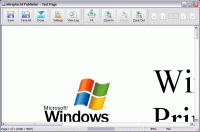
After installation on your PC, Miraplacid Publisher appears as a new virtual printer in your system. All the documents you print to this "printer" will be opened in a preview dialog. You scale the image, adjust hue, saturation and value, get rid of unused white borders, and do some other image processing. Then you can save results images to disk, email, upload to FTP or HTTP server,or print them to a real printer.
Miraplacid Publisher supports following output formats: PDF, JPEG, GIF, TIFF, BMP, PNG, TGA and Web Presentation. When redirecting to a printer, reduce saturation to save color cartridge or increase value to save black ink. Use borders detector in manual mode to set printing area when you need to print only the document part you need.
Miraplacid Publisher adds icon to desktop. All the documents you drag and drop to this icon will be printed behind the scenes and processed by Miraplacid Publihser. Turn "Auto Send" on if you want Miraplacid Publisher to send images to chosen destinations without waiting for your input. If you want every document to be saved to an individual file, add {{DATE}}, {{TIME}}, {{IDENTITY}}, {{PAGE}} or {{JOB}} to the file name or path. They will be replaced with current date, time, some unique number, page number and print job id respectively.
Miraplacid Publisher is integration-ready software. All the settings can be easily managed from your software or script. Whats new in version 6.6: Some important updates and fixes Requirements: Pentium-II 266, at least 256 MB RAM, at least 100 MB HDD Operating system: Win2000,Win7 x32,Win7 x64,WinVista,WinVista x64,WinXP Release notes: Minor Update
Print Helper is the ideal solution for batch printing and conversion Excel, PDF, Word image and other files. Unique features: automatic Excel, Image resizing; mulipage TIFF, FTP client; MS Publisher and batch ZIP support. Free download.
Price: $149.99, Rating: 9.89, Downloads: 196 Download
PrintMonitor is a perfect software tool for print devices management. It is used as a monitoring and statistics gathering software system for large organizations, printing businesses and internet cafes.
Price: $119, Rating: 8.2, Downloads: 188 Download
On This Day in History (Day You Were Born, Married, Christened etc.) Software has been developed for the UK (England, Northern Ireland, Scotland and Wales), USA and Australian markets and covers every day from the year 1900 to the present day
Price: $30, Rating: 6, Downloads: 174 Download
Checks that your default printer is the one you want and not that one in the Business Centre where you were working yesterday, so the confidential report you are about to print need not be read by all your colleagues or competitors.
Price: $14.95, Rating: 5, Downloads: 163 Download
This utility lets you know the paper size, printable area size and all margins in pixels, millimeters and inches for any of
your printers.
Those may be very important parameters if you want to get the most out of your printer!
Price: $0, Rating: 9, Downloads: 158 Download
User Rating
Rating:2.2 out of
5 Based on13 ratings.
13 user reviews.

 Miraplacid Publisher 6.6 details